

Hide the numbers on YouTube Studio and YouTube.
Hide Metrics is a browser extension that takes views, subscribers, likes and stats pages off YouTube, so you can make and watch videos without checking how they’re doing.
Free. Works in Chrome, Brave and Edge.
studio.youtube.com
What it hides
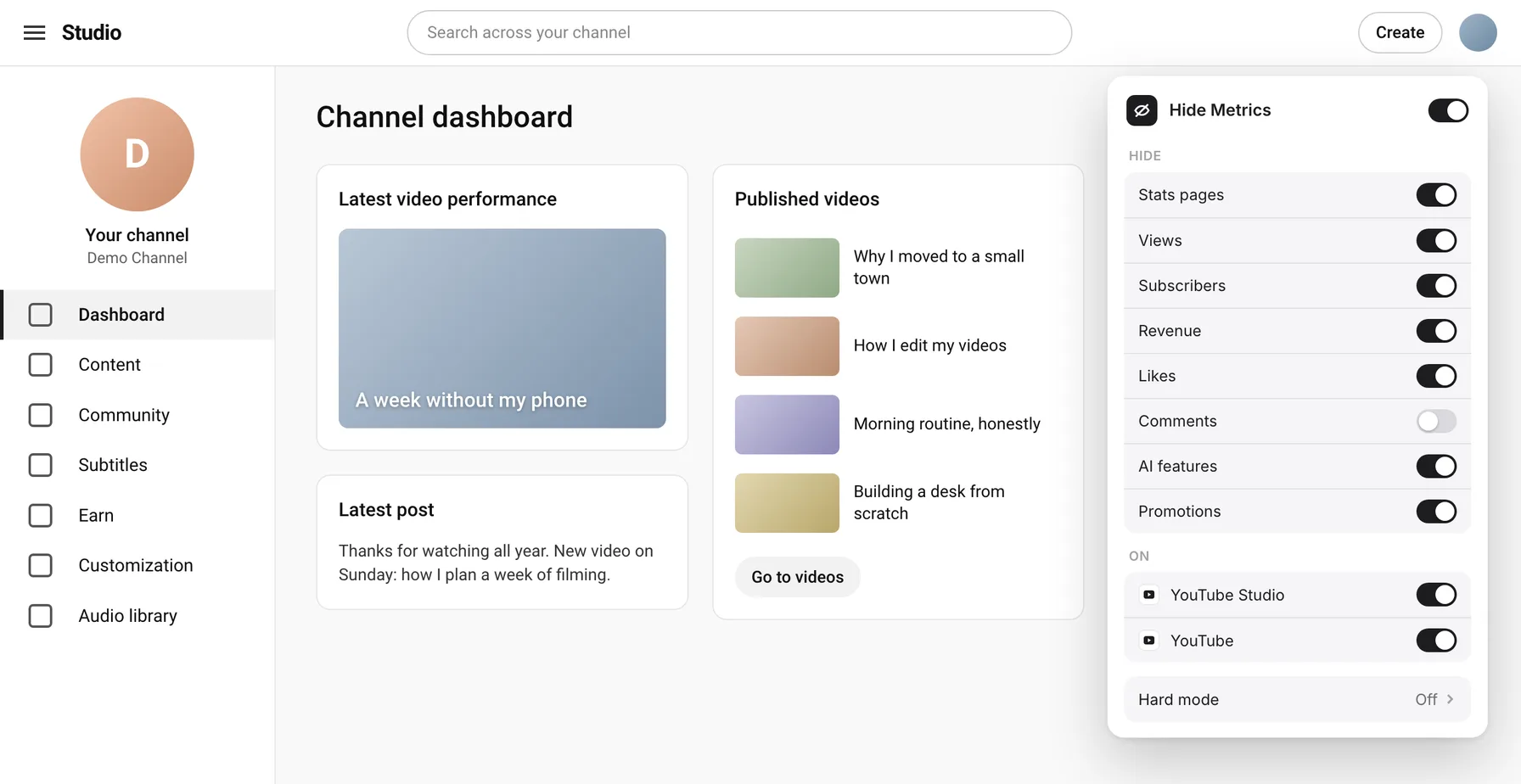
Turn on what you want gone. Each switch hides the same thing in YouTube Studio and on YouTube, and you choose which of the two it works on. Hidden things are simply gone: no grey bars, no blur, no “show anyway” button.
- Stats pages
- Studio’s Insights pages, your live subscriber count and realtime data. Opening one shows a page that says it’s hidden.
- Views
- View counts in Studio, and on every video on YouTube.
- Subscribers
- Your subscriber count in Studio, and the counts under videos and on channel pages.
- Revenue
- Estimated revenue in Studio.
- Likes
- Like counts on videos, Shorts, posts and comments.
- Comments
- Comment counts and the comments inbox in Studio, and the comment section on YouTube. Off until you turn it on.
- AI features
- Ask Studio, “Catch me up”, AI suggestions and AI replies.
- Promotions
- YouTube’s own cards in Studio, such as brand deal ideas and Creator Insider.
Hard mode
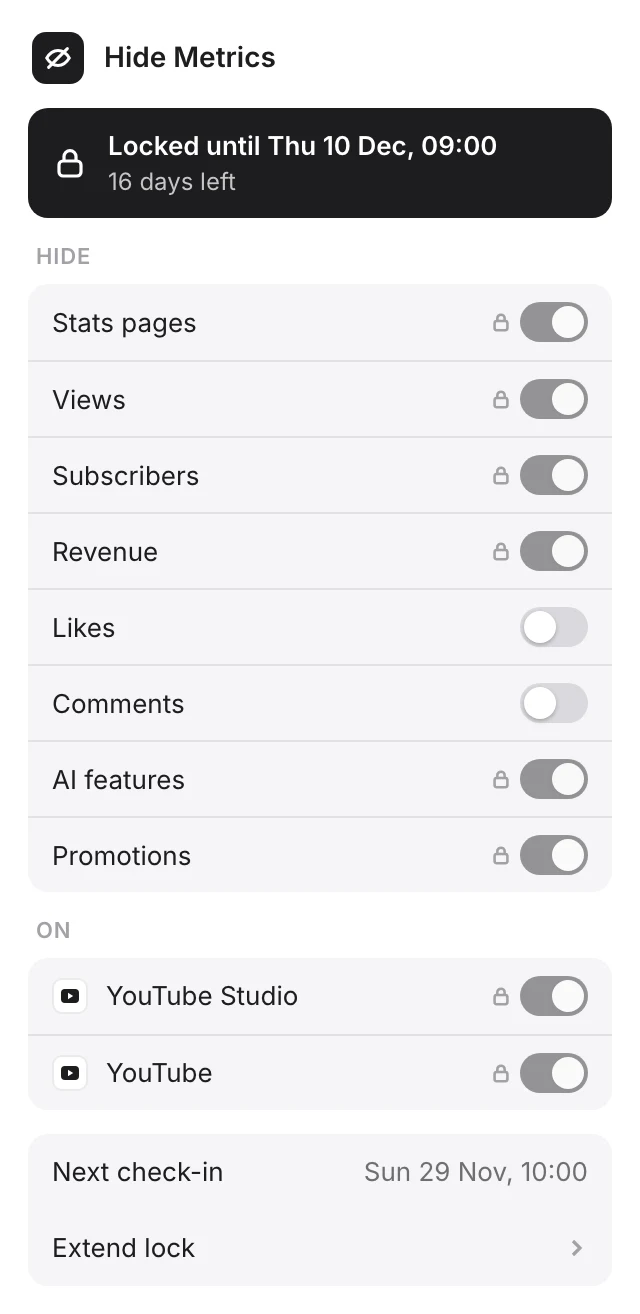
Hard mode locks your choices until a date you pick. While it’s locked, you can hide more but not less, and the lock can only be extended.
If you still want to look now and then, set a weekly check-in, for example on Sunday morning. Your numbers come back for a short while, then hide again. AI features and promotions stay hidden.
You can still remove the extension while it’s locked.
How to start
Add it to your browser
Open Hide Metrics in the Chrome Web Store and click Add to Chrome.
Pin it
Click the puzzle piece in the browser’s toolbar, then the pin next to Hide Metrics.
Choose what to hide
Click its icon and turn on what you want gone. You can change it any time.
Questions
- Does it work in Brave and Edge?
- Yes. It works in Chrome, Brave and Edge.
- Is there a version for Firefox or Safari?
- No. It works in browsers built on Chrome.
- Can I still see my numbers sometimes?
- Turn a switch off and they’re back. In hard mode, a weekly check-in brings them back for a short while.
- Does it collect any data?
- No. It has no account, no server and no analytics, and it makes no network requests. Your settings stay in your browser. See the privacy policy.
- What happens when YouTube changes its pages?
- A number may show again until the extension is updated. If you see one, report it on GitHub.
- Is it made by YouTube?
- No. Hide Metrics is made by Taco Digest and isn’t affiliated with YouTube or Google.
Hide Metrics is made by Taco Digest
Taco Digest sends the newsletters, feeds and YouTube channels you follow in one email, at a time you pick.